Plans
Bring the source plan set and key project information into one working record.
PROJECT STORY · TRANSPORTATION ENGINEERING
Technical architecture + source notes ↓
Why should moving one roadway project forward mean searching through so many disconnected places?
I’m building Transportation Workbench to keep plans, engineering tools, estimates, reviews, and milestones within reach. This case study shares the direction and the work in progress.
WHY I STARTED BUILDING
I wanted to spend less time rebuilding the project in my head and more time doing the engineering.
A roadway project can move from plan sheets to geometry, drainage, quantities, estimates, review comments, and delivery decisions in a single day. Each move means finding the right file, checking which version is current, and recovering the reasoning behind an earlier decision.
Transportation Workbench grew from that friction. My goal was to give myself and other DOTD engineers a place where the source material, tools, and next steps stay connected. The engineer still reviews the evidence and makes the call.
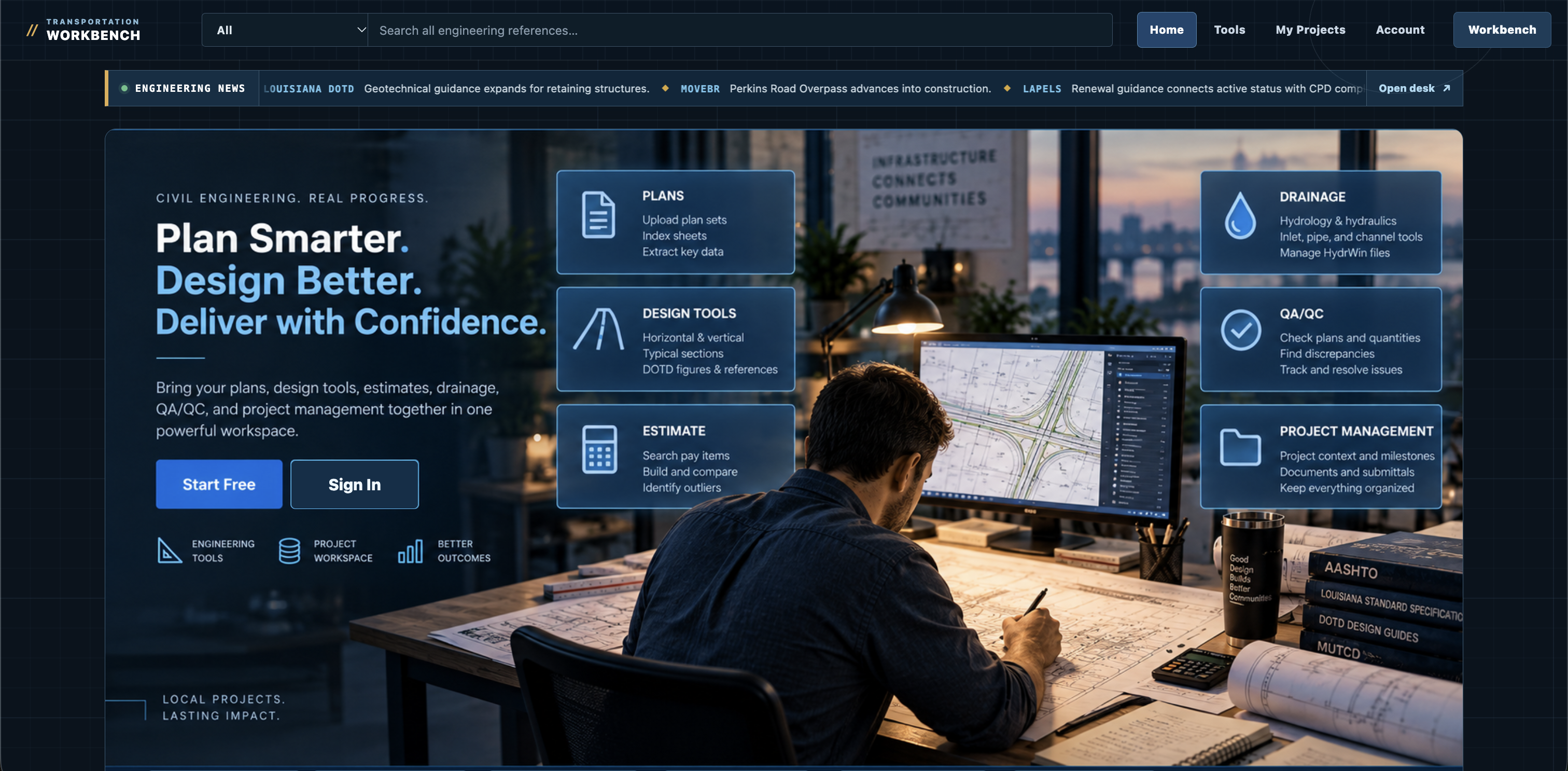
BUILT AROUND PROJECT FLOW
The Workbench follows a project from the first plan set to the final review, keeping the next decision close to the work that led to it.
Bring the source plan set and key project information into one working record.
Structure useful sheet and project context while keeping the original source available for engineer review.
Work through roadway, drainage, traffic, structures, and quantity calculations with project context close by.
Connect quantities to pay items, pricing context, and documented assumptions.
Keep findings, references, and resolution status visible as the work is checked.
Carry milestones, submittals, and project decisions through delivery.
USEFUL WORK, CLOSE AT HAND
Explore the full calculator catalog and connected project workspaces that carry plans, quantities, reviews, and delivery forward. This showcase describes the local Workbench build; nothing runs on this portfolio page.
Browse the calculator library and connected project workflows.
SHOWCASE ONLY · Catalog based on the local Workbench tool set: individual calculators plus project, review, delivery, and exchange workspaces. Feature availability and validation vary by workflow. Cards are informational; no calculations, project edits, or protected-app actions are available here.
ENGINEERING NEWS
A useful workspace should help me notice what is changing around a project.
Construction updates, revised guidance, and new approaches to managing road assets can all affect the questions an engineer asks. That is why the Workbench includes a source-linked news desk alongside the tools.
These selected briefs illustrate the news feature under development. The publisher links below lead to original sources; official project documents and current criteria still govern the work.
A local delivery update connecting roadway capacity, bicycle and pedestrian access, drainage, and utility coordination.
A reminder to check the living DOTD manual when design criteria or reference material changes.
An international call for practical examples of digital representations in road and mobility work.
Development preview · selected source articles. The full Workbench news desk is not yet available through this portfolio.
EFFICIENCY · EASE · CONTINUITY
That is the test I keep coming back to as I build: can an engineer find the right source, use the right tool, and see the next milestone without reconstructing the whole project first?
The Workbench is still evolving. If it makes that sequence clearer for my work—and useful to another engineer facing the same friction—it is moving in the right direction.
View development status ↑SYSTEM DESIGN / TRANSPORTATION WORKBENCH
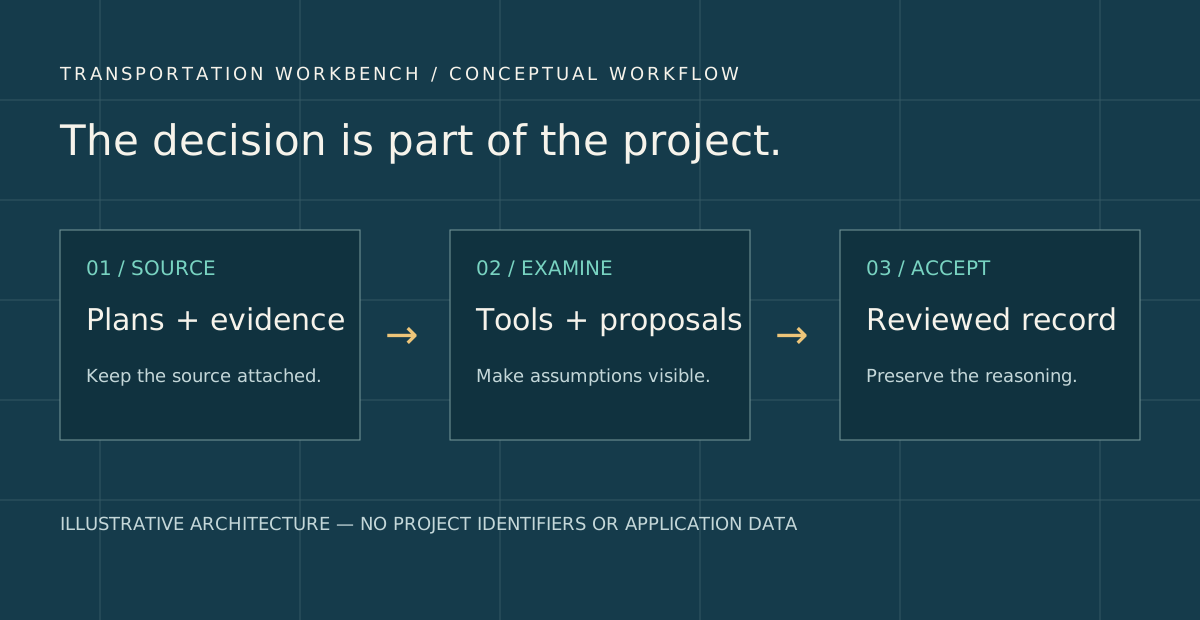
A useful calculation needs units, assumptions, a source, and a place in the project record. The current local implementation treats ownership and review as part of that data model.
Versioned local records carry project identity. Plan PDF storage is separate from the structured engineering records.
JavaScript worksheets and source-linked plan recognition support the work. Recognized title fields are proposals, with evidence attached.
A person accepts or rejects proposed fields. Backup/restore creates a new project identity and invalidates restored sign-off.
| Area | Evidence status | What the source supports |
|---|---|---|
| Roadway tools | Observed in local source | Guard rail geometry, typical sections, horizontal/vertical geometry, quantity calculations and engineering visuals. |
| Project continuity | Observed in local source | Calculation records, quantity publications, estimate lineage, QA records and structured project backup/restore. |
| Drainage + integration | Limited / evolving | Drainage is a workspace with truthful empty states in the reviewed release. Do not interpret this portfolio diagram as a completed hydraulic model or CAD integration. |
The carousel is a visual catalog: selecting an arrow changes the card, while each tool description remains non-interactive. This keeps the public portfolio focused on what the Workbench is designed to bring together without presenting a live engineering tool or implying design approval.
Local Workbench package v1.0.10, project-storage, calculation-records, quantity-publications and design modules, plus Phase 3A implementation notes. Source capabilities are not a claim of production deployment.
The tool catalog is display-only. It contains no working calculators, project data, or connection to the protected Workbench application.